Thursday, December 15, 2016

WebDriver / UI Testing: Where to Start

I’ve been asked this question enough times over the years I thought I’d (finally!) write up a quick post to point folks in the right directions for getting started.

What are the best practices for getting started with WebDriver (or some other User Interface functional automation tool)?

So first off, forget “best practices.” There ain’t no such a thing. There are guidelines and lessons learned you need to adapt to your own situation. With that in mind, here are some of my thoughts and references you should consider as starting points for your own journey.

Whatever you do, do not jump straight into throwing code or tooling around in order to try and solve some poorly understood problem! Invest some time thinking, planning, and experimenting. You’ll be much happier with the end result. (Ask me how I know…)

Clearly Define The Problem You’re Trying to Solve

Why do you want to move to WebDriver or some other nifty UI functional test tool? Get together with your entire team (which includes support, product owners, stakeholders, etc.) and talk about the “why?” behind your thinking. Look above the “simple” technical issues to larger process and business problems. Some of those responses might include:

  • We’re seeing a huge spike in support tickets due to unclear functionality or outright defects after every major release
  • We’re missing ship dates due to the time needed for regression testing
  • Work items slip in to following iterations due to time for testing…
  • and the corollary: Testers get work items only a day or two before the iteration finishes
  • Regression defects get found a week or two after the root cause
  • We’re not building what I (the stakeholder/PO) wanted

There aren’t necessarily wrong answers or items for this list. Just make sure you understand the problem you’re trying to solve—and you may find different ones to solve after these discussions!

Choose a Tool That Works for Your Team and Situation

WebDriver is a wonderful tool that I love and use all the time. However, it’s one of many tools that might solve the job for you. Consider the things you identified above, then have a look at all potential solution toolsets.

Do you want a plain English/Domain Specific Language toolset that helps you clarify specifications and behaviors?

Do you want a record and playback tool that will help you get a starting point built quickly? (Dismissive of record and playback? They used to suck. They’ve grown up. A lot. Have a look and be open-minded.)

Do you want to just write thin wrappers around WebDriver and roll forward?

All these are considerations you need to take in mind.

Go read Elisabeth Hendrickson’s wonderful blogpost from 2011 “Selecting test automation tools.” Her post is still one of the best I’ve ever read on going through the selection process. You’ll need to update the list of actual frameworks, drivers, and tools, but still…

Plan Your Approach

Once you’ve selected your toolset, spend some time laying out your initial approach for your UI tests. Spend time working with your toolset to understand how it handles things like representing pages/views/etc. Figure out where you can tie in calls to your own custom code for doing things like test setup, invoking heuristics/oracles, environment configuration, etc.

Get clear on how the toolset works and what a test execution lifecycle looks like. For example, let’s say you’re using Cucumber and WebDriver on the Java stack. You’ll also need some form of test execution framework like TestNG, JUnit, etc.

In these cases JUnit (or TestNG) is generally the starting point for any test execution. Details vary, but JUnit likely starts a single test that calls out to the Cucumber runner. Your Cucumber step definitions make WebDriver statements that manipulate a browser while referencing your own custom page objects for details on each page/view/etc. Those step definitions may also invoke your own custom framework to create data, validate database conditions, and tear down test structures.

Understanding this level of detail ahead of time is critical to getting things well-organized from the start. Of course you’ll learn things and adapt as you move forward, but at least you’ll be starting from a good point.

Understand Your Process

Successful test automation, especially functional/UI test automation, depends on a good process. Conversations around testing need to happen early, regularly, and frequently.

Begin conversations about functional testing at the release planning stage. Make sure your UI/DX designers are taking testability in to account. Start discussing what workflows might look like, and which ones will be critical to automate. Lay out initial plans for test data.

Three Amigos

Three Amigos conversations have become my most-favorite tool for helping teams quickly improve their delivery behaviors. I wrote a post on it earlier this year, and had a great conversation with the folks at the Eat, Sleep, Code podcast on the topic.

Concurrent Testing, Not N+1 (or 2, or 3)

Great Three Amigos are the single most important thing to getting your testing happening in the same iteration as development work is completed. A good conversation will let the team start writing tests at the same time the feature is being developed. Mature teams do this as second nature: A quick discussion of the work flow, a quick scribble of field locators, and off everyone goes. It is literally that easy once you get past the very small learning curve.

Clarify Your Coverage

How many UI tests should we have?

As few as possible, and then ten percent less than that.

Seriously, many newer teams rely far, far too much on UI testing. Push as much testing as close to the code as possible. UI tests should not be checking multiple scenarios of algorithms. UI tests should not be checking every parameter for input validation. Those sorts of tests should be handled at the unit test level, either on server side code via something like JUnit, or in the browser’s JavaScript via something like Jasmine.

Focus your UI tests on high-value, critical flows: Can I create a new sales order? Does a failed timecard properly flag for audit if the number of hours worked are over the business’s max hour limit?

Those are the sorts of high-value scenarios we want validated at the UI level. Handle the other situations at more appropriate levels of unit or integration testing.

Pair Your Developers and Testers

Want the best chance of success for your UI functional tests? Of course you do.

Then burn down silos between testers and developers. Get them pairing together on actual feature work. Have the entire team own the UI automation suite. The benefits from this approach are numerous:

  • Tests rarely have any coverage overlap with other test types because everyone knows what’s getting tested where
  • UI test suites are built and maintained with software craftsmanship principles in mind. Duplication, complexity, dependencies—all are mitigated when folks with different applicable skills are writing the tests.
  • Your system itself becomes more testable as the team designs and builds system code with things like good locators, asynch support, and configurability

Learn the Common Issues of UI Testing

So now you’re eight hours and 23,942 words in to this blog post and I’m finally getting to some specifics around WebDriver. There’s a point to that. If you start way down here and ignore everything above this, well, frankly you’re screwed. Work on all the critical things above first, then when it comes time to handle a few specific things you’ll be in much better shape.

Locators, Locators, Locators

WebDriver (and other UI tools) need a way to find and interact with elements on a page or view. Some tools use different terminology, but the idea’s the same: Find a thing on the page’s DOM (or mobile device’s view, or whatever), then inspect/inject/interact with it somehow.

Here’s a list of things to consider when working with locators:

  • Store locator definitions in a Page Object class or similar abstraction where they’re defined once in the entire codebase. Avoid duplication. All other tests/steps/whatever refer to those abstractions.
  • Prefer using “id” attributes when working with HTML. IDs are fast to work with and are unique on valid HTML pages.
  • Beware of controls that auto-generate IDs. They may be tied to that element’s location, and may not be constant.
  • Look for ways to customize IDs for auto-generated widgets/controls/whatever.
  • Consider JQuery style locators next when IDs aren’t appropriate.
  • Avoid XPath locators, except when it makes sense. Start your XPath expressions as close to the element as possible, never from the root of the document.
  • Consider using text content instead of attribute-based locators when dealing with dynamic content, eg
    FindElement(By.XPath("@myDataTable//tr[contains(.,'Some unique text')]"))

Async

Brittle, intermittently failing tests due to asynchronous situations are often what cause many teams to lose faith in their test suites—or abandon them altogether.

Learning to deal with asynch situations is critical. The first, best step is ensuring a really good Three Amigos conversation as the work item is being discussed. The group needs to explicitly discuss any potential async situations before the tests or system code are written. This ensures the best chance for a stable, reliable test.

Sam: “You’re working this feature to display search results as a user keys in criteria, right?”
Reena: “Yes. The search results change as each character is typed. I know some word wheel searches require two characters to narrow; this one will be on every character.”
Sam: “OK, so that is a callback from each typed character. Does the async action (the callback) complete when the result list updates with the narrowed list, or is there some other action/event?”
Reena: “The list updating signals the callback is complete.”
Sam: “Simple! And this user story is only on narrowing the results, correct? Selecting a result is a different story?”
Reena: “Correct. Do you need any custom IDs for your locators, or will the text content of the list be good enough?”
Sam: “The list will be fine as is, but can you please label the input field with an ID of ‘search’ ?”

And so it goes. Other things to consider to mitigate as much asynch pain as possible (you’ll never eliminate it…)

  • WebDriverWait is your best friend for async situations. Learn how it works, and learn the different ExpectedConditions. (Learn its equivalent for other toolsets.)
  • Determine what the exact condition you need to move forward with your test, then set a wait on that condition, e.g.
    • A button must be enabled. WebDriverWait.until( ExpectedConditions.elementToBeClickable( some element locator )
    • Element contains text WebDriverWait.until( ExpectedConditions.textToBePresentInElement( some text )
      • An element is on the DOM WebDriverWait.until( ExpectedConditions.elementExists( some element locator )
      • and so on
  • Avoid using Thread.Sleep() or any variant of it except when troubleshooting. Use of Thread.Sleep() in production tests should be limited to the most exceptional of situations, and should never be allowed without discussion with other team members. I’ve had suites of over 15,000 tests with less than five Thread.Sleep() statements. That’s your benchmark.
  • Situations with multiple asynch calls do not need complex logic. Simply list out each condition separately. The timing will work out no matter what. Honest.
    WebDriverWait.until( ExpectedConditions.textToBePresentInElement( some text )
    WebDriverWait.until( ExpectedConditions.textToBePresentInElement( some other text )
    WebDriverWait.until( ExpectedConditions.elementToBeClickable( some element locator )
  • When working with complex async situations, consider building flags that appear on the DOM when an action is complete. The flow might look something like this:
    • Click submit button
    • WebDriverWait.until( ExpectedConditions.elementExists( By.Id("update_completed")
    • Complex events begin on server side and in browser
    • Complex events complete
    • Page updates with a hidden <div id='update_completed'>
    • Wait conditions triggers, test moves on

You can see an example of that flag in action on line 23 of this KendoGrid example in my GitHub repo.

Go Practice

Talk, experiment, fail, cuss, learn.

One of the best places to go practice the simple parts of UI automation is the awesome site set up by some of WebDriver’s community leaders.

Monday, June 27, 2016

Podcast on Three Amigos

The nice folks at Telerik (a Progress company) were kind enough to host me for a discussion on how using the Three Amigos can dramatically improve your teams’ effectiveness. Ed Charbeneau saw my blog post “All In With The Three Amigos” and thought it would make a good conversation.

You can find the show at Telerik’s Developer Network blog.

Listen for yourself and let me know what you think!

Tuesday, June 07, 2016

Video of My 'Automated Testing Beyond the Basics' Talk

Last month I did a new talk at StirTrek: “Automated Testing: Beyond the Basics.”

The great folks at StirTrek recorded the sessions and posted them on YouTube. Because they’re all awesome. Watch the video below, or on YouTube.

My usual gonzo deck is up on SpeakerDeck.

Wednesday, June 01, 2016

All In With Three Amigos

Are you running Three Amigos conversations for each work item/user story your team does? If not, start now. Seriously.

Effective Three Amigos conversations cut confusion, reduce rework, and ensure the entire team clearly understands the why of what they’re building. Teams ensure acceptance criteria are clear, nail down test data, discuss data flows, and clear up a myriad of other potential roadblocks—before a single line of code is written.

Over the years I’ve come to the belief Three Amigos is the best thing you can do for improving your software delivery teams’ effectiveness. I used to think it was running good retrospectives; however, I’ve changed focus to Three Amigos.

Three Amigos is a small step you can adopt in your delivery process regardless of what methodology you use. It doesn’t matter if you’re using XP, Scrum, waterfall, or chaos. You don’t need some massive change proposal to your organization’s formally approved process—Three Amigos is nothing more than an effective conversation about each work item.

Here’s how you can start if you’re not familiar with them: For every work item—Every. Single. One.—have your developers, BAs, and testers gather together as the work item is pulled off for work.

Start with a small list of questions for the group to discuss. The questions vary for teams, but here’s a set of questions I’ve used for teams I’ve worked with.

  • WHY are we building this? What is the business value this brings to our users?
  • Are acceptance criteria clear enough?
  • What risks are associated with this? (Regression, dependencies, etc.)
  • Does this item impact existing tests and functionality?
  • What test data is needed?
  • What will be tested in unit, integration, and UI tests? (Who tests what.)

The point of the discussion is to clarify a number of things on each work item in order to avoid confusion, rework, and errors. Well-run Three Amigos generally take five to ten minutes, sometimes shorter. Initially they’ll be longer as your team learns how to work with them.

If there’s any confusion then you have an opportunity to clear it up before you do work. Bad acceptance criteria? Go talk to the product owner and change them. Unsure what test data you need? Take a sidebar and sit down for further discussion. Confusion over who’s testing what? Whiteboard out data flows, workflows, and architectural impacts so the devs and testers can iron out what’s going to be handled in unit, integration, functional, and exploratory testing.

You should have a Three Amigos on every work item, even if it’s just to agree no Three Amigos is needed for that particular work item. Sometimes different team members might have different views about a work item. If you don’t meet, you won’t know.

Again, rolling in to Three Amigos is the single most effective, low-friction thing you can do to improve your teams’ ability to deliver great software.

Need a starting point? Grab my template (Word 2013 document) and modify it to suit your needs!

Are you running Three Amigos? Do you use different discussion points? Let me know what works for you in the comments.

I'm Looking for a Tester / Value Stream Compadre

I’m looking for someone to join me at Pillar Technology to help our clients improve their testing, quality, and value work for their delivery teams. Interested? Read on!

We’re filling a position for an Executive Consultant—someone as a mid-level to senior-level consultant. Pillar doesn’t do staff augmentation (generally). We work with clients who are honestly looking to transform how they look at solving problems through software. My efforts with clients to date have been both tactical and strategic.

At the tactical level I’ve been involved in building testers’ basic testing skills, learning appropriate automation, and working to change mindsets about focusing on valuable work. That’s come about through workshops, pairing, ongoing training, and helping get work done.

Pillar’s strategic level work for our clients helps organizations find ways to increase value by adopting new processes, practices, and mindsets. That means learning to effectively communicate with the “business” side of the house around things like value streams, flow of work, whole-team quality practices (No, testers are not the Quality Assurance folks.), modernizing testing skills, and a host of other activities.

We’re looking for mid- or senior-level consultants to come on board and dive in with me. Here’s the “Must Have” list:

  • Empathy. We value our roles as trusted advisors. Empathy to the clients’ situations is crucial.
  • Attitude. You’re doing the job because you want to. You’re helping lift others up because you see the benefits.
  • Aptitude. You’re able to be successful. What you don’t know you’re willing to dive in and learn—.

Some experiences that are helpful:

  • Walk the walk. You’ve been a practitioner of agile and Lean approaches over a number of years. You know how to adjust for situational context.
  • Understand the power of “I don’t know.” Have the confidence to admit weaknesses, because you know where to go find answers and help.
  • **Skilled at quickly building up an effective test plan.**You know how to focus on risk, value, and what the customer feels is most important.
  • Experience talking value to business. You know the difference between creating epics, features, and user stories that are technical solutions versus items that deliver value to the customer.

Specific tools in your belt/bag that are helpful:

  • Exploratory testing. You’ve done it, and you can explain why it’s different than ad-hoc or monkey testing.
  • Software craftsmanship. You’re able to talk about why it’s important and can provide some guidance around it, even if you’re not a developer by trade.
  • Automated testing. You’ve done it with different tools, you’ve suffered with mistakes you’ve made, and you’ve worked through those mistakes. You know where it fits, where it doesn’t, and how to create a good map of coverage of different testing types. You also understand and deeply believe in the difference between checking and testing, even if you don’t care to waste time arguing about what’s a test or check.

Interested? Drop me a line: JHolmes@PillarTechnology.com. I’d love to chat with you!

Wednesday, May 18, 2016

Telerik Developer Experts Profile

I’ve been a member of the Telerik Developer Experts group since I left Telerik. It’s a group of industry developers who help promote Telerik tools. (Note: Telerik was bought by Progress 18 months or so ago. The Telerik name is sadly going away, but their products are all getting wonderful support!)

Jen Looper, one of Progress’s Developer Advocates, was nice enough to write a small profile about me. I talk quite a bit about the project with one of the most awesome teams I’ve ever worked with, plus I rant a bit about the state of things in huge, slow-moving enterprisey organizations.

You can find the article on Telerik’s blog if you’re interested!

Tuesday, May 17, 2016

We'll Change Right After... No. No, You Won't.

“We’re too busy with the upcoming migration to address our quality
problems right now.”

“We can’t handle trying to change our delivery culture until after we
ship this next release.”

“All hands on deck to support modifying the system to make this next
deal. We don’t have time to add additional testing around that major
subsystem.”

Are you, or your management, saying things like this? They’re all variants of “We’ll change right after the Next Big Thing.

Here’s some tough love for you: No. No, you won’t change.

Addressing culture and quality is a slow, long-term journey—especially if the fundamentals around test and software craftsmanship are new to your team. Addressing those issues takes commitment from everyone involved from your top-most leadership to the grunts slinging and testing code. (And the DevOps folks deploying things!) It also takes months to see the huge benefits.

There’s always a Next Big Thing. Always. If you’re only focused on putting out the fire in front of you you’ll never make time to fix the five flat tires on your vehicle. (Because if things are that bad your spare is likely flat too. To badly mix metaphors.)

You can’t change your culture and fix your delivery if you keep rationalizing priorities. Perhaps you can’t go all in on a massive effort, but that doesn’t mean you shouldn’t find a series of small things to improve.

Commit. Take the step.

Otherwise I just don’t believe you’ll change at all.

Wednesday, April 27, 2016

Who Assures Quality?

Who “assures quality” on your projects?

Who assures quality? Is it the team of testers are left out of conversations when features are first being discussed, instead of providing their valuable input on overall complexity, risk, and their impact on business value? That same team of testers who aren’t co-located with developers and do work in parallel, instead of pairing up with devs as the work is being done? Those testers who work on testing as an event after development is complete instead of working on testing as a constant activity starting long before developers write code?

Who assures quality? Is it the team of developers who get technical solutions handed to them instead of being involved in determining how to deliver business value? That same team who spend time fighting organizational-mandated friction-inducing processes instead of focusing on writing code? Those same developers who are pressured in to shipping code faster versus supported in learning how to build well-crafted code that’s maintainable and lends itself to fast delivery of value?

Who assures quality? Is it your business analysts and program/project managers who are told to act as customer proxies without having true, constant interaction with those humans who have real needs? Those same BAs/PMs who are constantly re-directed by management who thinks that “Agile” is an excuse for poor planning?

Who assures quality? None of these folks I just spent half a page talking about.

The only person/role/group that assures quality is the people who write the checks for the work being done. The stakeholder is the sole person/role/group that can assure quality.

Stakeholders assure quality in many ways, including:

  • Providing enough funding to ensure each role (PM/BA, dev, tester) is adequately staffed
  • Giving enough time on the schedule to allow systems to be built in a solid, maintainable fashion
  • Ensuring project teams have the resources (resources, damnit, NOT people) to do their jobs
  • Working out a reasonable priority for value, and not reprioritizing at a whim

Delivery teams help the stakeholder assure quality by:

  • Providing useful information to the stakeholder about the project’s state
    • Useful information, NOT counts of bugs, number of test cases, lines of code, etc., etc.
  • Ensuring the stakeholder knows the impacts of reprioritizations and scope changes
    • Also, understanding that those changes are often actually important
  • Holding each other accountable to creating high-value, well-built systems

Who assures quality? THE WHOLE DANG DELIVERY TEAM INCLUDING STAKEHOLDERS.

I’m far from the first person to write about this. I’m just the guy who woke up today with several mails in my Inbox that touched on this subject.

Go back to work now. Have a conversation about value in production, and what that really means. Then go ship value. It feels good. Honest.

Thursday, April 21, 2016

Don't Empower. Expect.

We’ve heard plenty about empowering teams:

“You’re empowered to make decisions.”
“You’re empowered to do TDD.”
“You’re empowered to raise concerns.”

Empowering your teams lets them know you’ll support them in doing things the right way. Leaders need to give their people top cover, so this is really a great step.

Unfortunately, just empowering teams leaves them the room to rationalize why they shouldn’t do things we expect of professional craftsmen.

“We were running behind so we stopped pairing.”
“Bob wasn’t here this week, so we skipped all our Three Amigos conversations.”
“Someone reset the QA environment and all our data got wiped out. We had too much work in progress, so we didn’t stop to refactor our tests to handle their own data setup.”

These sorts of things aren’t what you want with your teams. You’ve given them the room to do things right by empowering them. Take the next step and make it clear you’re expecting them to get these things done. Moving to a culture of expectations helps your team members hold each other to a higher standard. “Hey, we skipped tests on this story. Let’s pair up and go fix it right now.”

Do what it takes to make expected behaviors clear. Speak up, send unequivocable communications, ensure your “done” barometers clearly state these activities must be accomplished.

Change the culture. Now. Stop talking about empowering. Talk about expecting.

Friday, April 08, 2016

Estimating Your Testing Effort

“How long is it going to take you to test the release?”

Heard that question before? What team hasn’t? It’s a fair question from the business, even if they don’t understand the complexities involved.

Often I’ll turn the question around, not to push back on the stakeholder, but instead to try and level-set on what the stakeholder’s goal is. Testing is emphatically not about “assuring quality.” Testers can’t do that, only the whole team can. Instead, testing is about providing information about the system/product/application’s value, risk, and suitability.

I’ll work with the stakeholder to understand their most important goals for the release, then focus my testing efforts around those goals. Those goals should include the stakeholders high-value areas and also high-risk concerns.

High-value areas might be things like

  • Checking out properly handles credit transactions, including errors like invalid card numbers
  • Users can save their profile information so it’s automatically retrieved next time they browse
  • Players can no longer hack their mech to run 100 MPH and instead are limited to the 10MPH as specified in the rules

High-risk concerns might include

  • No privacy information is surfaced outside the account holder’s profile
  • No SQL injection is possible on public-facing pages. (A lesser risk is the same concern on internal pages)
  • Performance for the five most-valuable workflows are within the agreed upon metrics

I’ll use that conversation to drive out what I feel is the needed level of effort given the stakeholder’s desire for clarity around their highest priority items.

Want to learn some approaches to estimating your testing effort? Join my pal Matt Heusser on 21 April for a webinar discussing different ways to get reasonable, realistic estimates fleshed out.

More information and registration at the QASymphony site for the webinar. Go sign up!

Sunday, February 07, 2016

Demonstrating Risk, Stability, and Testing

Learning Through Games

UPDATED: Kim Engle pointed out I'd forgotten to include a timeframe to run this. Depending on amount of laughter and discussion this can take between 30 - 45 minutes.

Many coaches use the Jenga game to help illustrate the importance of testing early and often. It’s a fun activity that demonstrates the concepts in a light-hearted but eminently clear way.
I’ve wanted a similar approach to help drive home the idea of stability, risk, and how testing helps mitigate those issues. I also wanted a clear expression of the always-present constraint of time. Moreover, I want to explicitly demonstrate that stable components don’t need anywhere near the amount of testing as less stable components.
I came up with the following approach several months ago, and it’s been very effective the three or four times I’ve run it so far.

Overview

The general idea is to build a structure of a specific minimum height in a constrained amount of time. Attendees are given different materials each iteration with the same height and time constraints. The different materials inject stability issues, making it harder to meet the minimum height requirement within the time constraint. This tends to be a lot of fun, because as with the Jenga game there can be a lot of crashing as structures fall apart.
I’ll start the exercise talking about value and risk—two things I continually hammer home during my coaching sessions—and talk about how this exercise is a tradeoff of value and risk. I don’t specifically call out stability during my explanations. I like that come to the forefront as the game unfolds. Your mileage may vary.

Rock, Dice, Marbles Game

(Apologies to Rock, Scissors, Paper.)

The Goal

Illustrate the interaction of risk, stability, value, and how testing comes in to play helping stabilize things and mitigate risk.
Materials required:
  • One set of dice per team – nine to 12 dice
  • One small rock per team. Rock should be somewhat die-sized and roughly square. You don’t want them too flat—part of the point is the rocks being unstable…
  • Two marbles per team
  • One small blob of putty, PlayDo, or otherwise squishy stuff. This blob should be fairly small. It’s meant to illustrate testing, a constrained resource.
    Dice, clay, rocks, and marbles.
    Setup:
  • Break up your group in to teams. Keep teams under six if possible. Three to five per team seems to work best.
  • Give each team one set of dice. Keep the other materials hidden.

Timeframe: Allow 30 - 45 minutes for this.

Iteration One

Rules for I1:
  • Must build a tower at least eight dice high. I’ll also often use the sides of my Moleskein as a measure instead of just saying “Eight dice” or whatever.
  • Time limit of 90 seconds
Running I1
Explain the rules, then start the timer and have teams build their towers.
When the timer finishes you’ll have some successful teams and some who had trouble with falling towers.
Discussions
This is the first place to start discussing the main point: stability. The structure’s a bit wobbly, even when using dice. Sometimes teams will use interesting approaches to building. Use opportunities as they arise to discuss how different approaches help mitigate instability, risk, etc.

Iteration 2

Distribute a rock to each team. This is generally met with some groans and pained laughter. Play that up! The game’s meant to be fun in addition to educational!
Rules for I2
* Must start tower from scratch. No building on top of existing ones!
* Must build a tower the same height as I1
* The rock must be used as part of the tower. It must contribute to the tower’s height, meaning you can’t just set it off to the side of the tower. It has to have something on it, or be on top of something else.
(I’ve had some creative attempts to get around the intent of this. Testers. Go figure. Again, use this as an opportunity to inject some humor as you describe the rule and ask the teams to honor the intent of it!)
Running I2
Same as before: Start from scratch, 90 seconds, fire the teams off and see what happens!
Discussions
More instability, this time in a big way. I’ve had some teams build smaller towers that included the rock. This is actually a great discussion point: those teams shipped some value! That’s not a bad thing—it offers a great opportunity to discuss value versus risk trade offs!
Look at people who succeeded in any fashion and talk about how they managed their risk/stability.
Now carry the discussions over to software delivery. Make a connection that the stability in this game is a metaphor for different components/systems we work with.

Iteration 3

Pass out two marbles to each team. Yet another opportunity for injecting some serious humor. “Oh no! You’re giving us another rock???” “No! I’d never do anything so mean! Here, have marbles.”
Rules for I3
Same height and time constraints. Start from scratch. Rock and one marble must add to the height of the tower.
One critical modification here: The stakeholder must have a tower at the minimum height. A shorter tower will not deliver him the business value he needs.
Running I3
Same as before. There should be a nice amount of crashes, laughter, and muttering.
Discussion
Huge stability issues. Connect back to software: stable components and systems. Less stable or newer components which haven’t been used for as long. Brand new systems, or ones written very, very badly.

Iteration 4

Now distribute out the small ball of clay/putty. Talk about stabilizing as you’re doing it. Don’t tell teams how to use the clay.
Rules for I4
Start from scratch, same height, 90 seconds. Rocks and marbles must contribute to height.
Running I4
Same as before. Start it off, let it roll.
Discussions
Talk over how teams used clay for stability. I’ve seen a wide range of uses: dots between dice, nothing on dice, big blobs on the marbles, etc. One team made a large pancake of clay and wrapped their rock and die in it—what a great metaphor to tie directly to software wrappers around unstable components!
If the teams haven’t made the connection of clay == testing, help guide them along that. Now’s the time to really head off down the road of “You have 35 - 40 hours a week to apply all your testing expertise. Where are you and your team going to focus? What’s the scary unstable stuff? Where’s the high-risk stuff?”
This is also the spot in this exercise where I really hit home on careful thinking around test coverage, regression, and dear God PLEASE STOP TESTING ALL THE THIRD PARTY TOOLS YOU HAVEN’T CUSTOMIZED.

Finishing Up

You should definitely poll your attendees to see what they got out of this. I always get some neat feedback, and it’s important to validate the attendees got some glimpse of the goal of the exercise.

Note on Licensing of this Exercise

I invented it, I’m licensing it.
Here’s my terms: Use this as much as you want, whenever you want, wherever you want. Pass the concept on to others as often as you want. The sole term in this license is if we are ever in the same place at the same time you must buy me a [drink] and share your experience with the game I mean exercise. Let me know if it worked, and how you’ve changed it.
Awful terms. I get it.
[drink]: Coffee, soda, or beer. Scotch is best; however, I’m happy with anything as long as you share your experience!

Wednesday, December 16, 2015

Give Yourself a Great Christmas Present: A Job With Pillar

Want to start off 2016 with a job that’s challenging, interesting, and fun? Come join me at Pillar Technology!

We’ve got a significant number of job openings across a lot of disciplines. We’re looking for people to fill roles as Delivery Leads, DevOps, Experience Architects (and here at Pillar that is a real role, not some vaporware handwavy marketing thing!), and of course Software Craftsmen!

I joined Pillar last March and it’s been a tremendous time since then. I’ve know the folks at Pillar for years, and I love how they’ve grown in to a focused, passionate, awesome organization. If you looked at Pillar some time ago, I’d encourage you to give us another consideration. This is the best environment I’ve had in my career, and I love the clients I’m working with.

Interested? Drop me a note either at my work address or personal and I’d be happy to chat with you via mail, Skype, phone, or face-to-face. Sorry, no Morse code. I forgot everything after having earned the Signaling merit badge 40 years ago…

Tuesday, December 01, 2015

ISTA Conference Keynote

For those interested, my keynote from ISTA Conference 2015 in Sofia, Bulgaria, is live now on YouTube!

This keynote meant a lot to me. It was my first one, which was nerve-wracking, plus the organizers were kind enough to give me free rein to do a somewhat quirky format. I wanted badly to do a shorter keynote, and specifically stay away from the hour-long breakout-session-disguised-as-a-keynote format.

My topic for the talk was "Why?" which is a question we don't ask anywhere near enough. The talk's just under 30 minutes, so it's an easy to watch/listen to chunk.

I hope you'll find it interesting.

Thursday, October 01, 2015

Keynoting at ISTACon in November

I’m honored to announce I’m going to be keynoting at the ISTA Conference in Sofia, Bulgaria 18-19 November! This is exciting for me on a number of levels.

enter image description here

First, it’s my first-ever keynote, which is pretty exciting. I’ve never spoken to more than ~150 attendees, so being up front before 700-800 will be a new experience!

Second, I get to return to Sofia, Bulgaria, which is one of my favorite cities in the world. I had extraordinary experiences there when I worked for Telerik, and I’m looking forward to being back there.

ISTA’s organizers were kind enough to let me go a bit astray from “normal” keynotes. Instead of an hour talk I’ll be doing a much shorter session on the lines of a KalamazooX talk. My topic is “Why?” and I’m hoping to fire up attendees to ask “Why?” more often as we work to deliver value to our customers.

I’ll also be presenting my Leadership 101 workshop. This workshop’s from the heart, so it’s always a rewarding but exhausting experience.

ISTA’s registration is already open. I hope folks in the region will be interested enough to attend—it’s a great conference with a lot to offer! If you can’t attend please at least share the info to your friends, colleagues, and community members.

Please look me up onsite if you’re going to attend!

Thursday, September 03, 2015

Don't Ignore Big Deltas in Your Teams' Estimates

Estimates suck. They’re always wrong, and of course estimates somehow end up getting treated as exactimates, or worse yet, commitments.
enter image description here
I’m not here to tell you how to do estimates, or how to follow the #NoEstimates movement and not do estimates at all.
What I am here to do (well, in this article at least), is tell you to pay attention when you have wide estimate ranges within your team. It’s a situation that isn’t just an indicator of a skills gap. It’s a warning flag that maybe you’re missing something. (It’s also a great learning opportunity!) Regardless whether the range in estimates comes from junior to senior, or between similarly experienced folks, take some time to dive down into a conversation about the delta.
What’s causing the big disconnect? Is it indeed a skills/experience gap? Do the junior team members misunderstand the complexities involved? Take a few minutes and have someone more senior walk them through things—and make sure they get an understanding of what’s involved in this particular work item.
This quick learning moment doesn’t have to extend out to a huge training/knowledge sharing session. Keep it tight and focused; after all, the primary purpose is to get the estimating done. If needed, take the conversation offline so it doesn’t derail whatever meeting you’re in at the moment.
An even more interesting situation is when you have people with similar experience differing widely on work. Don’t simply take averages of the estimates and move on. Take time to explore what’s the rationale behind the extreme delta. In this case, you do want to spend as much time’s needed to clarify the delta.
Is the delta due to a lack of clarity around the work item? Spend more time getting the details around acceptance criteria, documentation, whatever’s necessary to ensure everyone’s on the same page.
Is the delta due to a disconnect in complexity of the work? If needed, whiteboard out workflows, data structures, dependencies, etc. until everyone’s got roughly the same idea of complexity involved.
Is the delta due to misunderstanding of the amount of testing involved? If so, move along, BECAUSE THAT NEVER HAPPENS. Hah. Of course it happens! This situation needs time to rectify, because the team has to make sure testing aligns with the information the business/product owner/customer needs to make effective risk/benefit decisions. Are the testers over-focusing on edge cases that don’t directly apply to highest priority risk/values? This can be a regular issue with less mature testers. Is the team missing critical integrations or dependencies that might impact how much testing is really needed? What about coverage matrices for things like browsers, devices, operating systems, etc.?
Work through the testing requirements, but ensure you’re focusing on what the business needs from you. Remember: The testers don’t assure quality, nor does the delivery team, frankly. The business/product owner/customer is the only one who can do that. The team is responsible to pass along the right information to help those people make informed decisions.
Got big estimate deltas? Make sure you’re using that as a trigger for further discussion!
How have you approached handling big deltas in your teams’ estimates? Let me know in the comments!

Wednesday, August 26, 2015

Sorry, I Can't Talk to You This Iteration

No, seriously, I actually heard that on a project once upon a time.
The client’s team had gotten far too focused on capacity and lost sight of delivery. Management wanted more stuff faster, so they focused on full utilization and commitment. As a result they were in a place where time for collaboration, knowledge transfer, and you know, teamwork had to be scheduled. Management had clearly lost sight that 100% utilization means no slack for conversations. They’d missed the problem that 100% utilization turns freeways—and software teams—into parking lots.
http://images.geo.tv/updates_pics/pakistan-karachi-trafficjam_8-5-2013_112485_l.jpg
Intended or not, teams and individuals on the project ran with that mindset to an extreme. Collaboration and cross-team assistance fell off drastically, as did the sense of a shared goal: working software delivered to the customers.
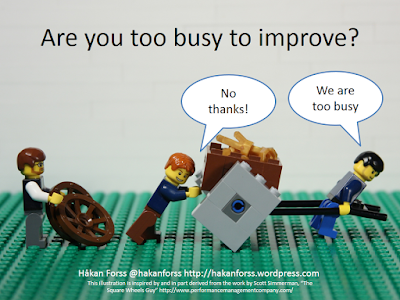
Such an emphasis on capacity and commitment isn’t healthy. I’ll go so far to say it’s a cancer. Regardless whether you’re “agile” (whatever that means), waterfall, or something else, you must leave slack time in your schedule. Without slack you’ll never get your teams working on the most important aspect of any software methodology: continual improvement and adaptation.
https://hakanforss.files.wordpress.com/2014/03/are-you-too-busy-to-improve2.png
Healing up this mindset and culture isn’t easy. It’s an issue with management’s pressure and unreasonable expectations. That can be a result of a lack of skills with the delivery teams’ ability to ship; however, honest change needs time for that change.
Generally management is open to discussions around impacts to delivery or business value. Remember, misguided as the decisions might be, they’re an attempt to meet deliverables and ship software. Frame your case in that context and you might have some luck.
Start gathering hard data around situations like:
  1. Work items blocked by inability to get time for discussions. Can’t get time with Team <X> to discuss the API work item you’re on right now? Note that and consolidate with other data.
  2. Work items slipping past the iteration. Are those blockages from #0 bad enough that you can’t finish your work? Make sure the reason behind it is clear to people up the chain.
  3. Lack of knowledge transfer. Shared codebases are critical, even on large projects. Can’t get time to understand critical aspects of what you’re working on? Document, escalate.
Make sure you’re approaching this from a positive, not negative, direction. Don’t even get out of bed if you’re planning on a “This is stupid and everyone sucks!” pitch. Instead, frame it as “Look, this is costing us <X> hours, <Y> blocked user stories, and <Z> <fill_in_blank/>.”
Additionally, come to the table with a suggested approach for fixing it. “Look, can we reserve some slack time each iteration for more ad-hoc discussions? Having some honest time for collaboration will help us prevent the <X> hours lost, <Y> blocked stories, and <Y><fill_in_blank/> we’ve seen the last couple iterations.”
Every team’s primary focus should be working software in production. Blocks to effective communication and collaboration are a direct impediment to that. Work to cure that cancer!

Tuesday, May 05, 2015

So Long Heartland

Back in the summer of 2001 my family (just three, back then) moved to Beavercreek, Ohio. For those of you who are, like me, math-challenged that’s 14 years. We’d moved here for my wife’s final assignment during her 20 years of service in the USAF.

At the time I was working as a customer relations manager for a small Department of Defense contactor engaged on a long-running program run out of Wright Patterson AFB. I was handling customer conversations and some project management, plus I was doing “testing” for the system we were developing.

enter image description here

Over those 14 years my family grew to four, we put 45 cubic yards of dirt in for flower beds, well over 100 cubic yards of mulch, we added on an 800 ft2 addition for my Mother-in-Law (hold the jokes. She’s awesome.), 1500 ft2 of laminate flooring, and 80 gallons of paint. Unlike other situations, those are accurate figures, not me exaggerating!

Also along the way I managed to hook up with the amazing Heartland’s amazing developer community. Yes, I know, I wrote amazing twice. It’s that amazing.

I was lucky enough to get engaged with the community here at a really interesting timeframe. In 2005 there weren’t any conferences being in the Heartland other than the occasional commercial thing like No Fluff Just Stuff. What was here was a nascent, primordial bubbling goo formed by some really smart, motivated folks who wanted to reach out to other like-minded folks.

I was fortunate to hook up with people like Drew Robbins, James Avery, Brian Prince, Josh Holmes, Mike Wood, and others who were starting to get various conferences off the ground. (I’m missing lots of people off that list. Sorry.) That group exploded out and created an incredible number of community events.

By 2008 you could, literally, hit a one-day conference at least once a month if you wanted to. Days of .NET, Code Camps, Give Camps, Days of Agile, and others had sprung up from Grand Rapids down through Nashville. Larger conferences like DevLink, StirTrek, KalamazooX, and of course CodeMash took off over the following years. User groups were springing up all over the place.

Fast forward to 2015: the pace of Code Camps, Days of .NET, etc. has died down a bit, but larger regional conferences like StirTrek, CodeMash, etc. have exploded. User groups have gone the way of tribbles and have spun off into an insane amount of local meetups, user groups, hangouts, whatever. I stopped trying to keep track years ago.

Heartland’s community is full of smart, passionate, welcoming folks who opened their arms, brains, and hearts to those interested in improving their various crafts, skillsets, and general outlook. These folks helped get me motivated to get out of the soul-crushing work I was involved with at the time. I trace a line from the awesome job I’m currently doing directly back to influences, motivations, and friendships I developed amongst Heartlanders over the years.

I can also point to at least three jobs I got directly because of my involvement with the Heartland community. I once got a job offer from a Heartland homie three or four days after I reached out. When I hung my shingle out earlier this year I had seven leads on independent contracts, five writing leads, and four job interviews—within four days.

Folks in this region are simply amazing. I’ve been blessed to have spent so many years here.

With all that said, it’s time for me and my family to bid adieu to the Heartland. My wife and I’ve always known Dayton wasn’t even close to our “forever home.” No mountains and too far from my family.

On 9 May my son, brother-in-law, and I load up a 27’ UHaul truck and minivan and head west for Ashland, Oregon. With two cats and two dogs in the minivan. Please send your prayers for what little is left of my sanity. The rest of my family will follow in stages, but we’ll be settled in our new home in early June.

I can’t list out all the people I really need to thank. There are hundreds of you, maybe even thousands. Literally. Those of you who’ve suffered through assorted tech crashes during my talks, those of you who’ve patiently listened to various rants, those of you who’ve made CodeMash so awesome, those of you who’ve lent me energy and strength at various dark phases of my life.

If you’re ever out in southern Oregon, please drop me a note either via mail (FrazzledDad@Gmail.com) or Twitter (@aJimHolmes). I’d love to meet up for a coffee, craft beer, or good glass of PNW vino.

To all I’ve met over the years: Thank you all. You’ve given me far more than I gave.

Monday, April 06, 2015

Visual Resume Template

Some time ago I posted about my visual resume. I think visual resumes are a great way to show off things you’re proud of in your career, so I started passing mine around together with my traditional resume.
Jim Holmes Visual Resume
More recently, someone asked if I’d put my resume out as a template, so I did! It’s a Visio file, and you can find it here on GitHub. I released it under Creative Commons CC0 which means, I think, you’re fine to do whatever you want with it.
Just don’t plagarize my stuff as your stuff. Other than that, I wish you well!

Wednesday, March 18, 2015

Changing Cucumber Fonts in Eclipse Editor

Problem: You’re writing Gherkin in Eclipse and you can’t figure out how to adjust font size in your Feature editor.

Solution: It’s actually in the Basic text editor. Window -> Preferences -> Appearance -> Colors and Fonts -> Select “Basic” folder in panel -> Text Font -> Edit.

Bonus: Make sure you’re using the Eclipse theme color plugin plus the Cucumber for Eclipse plugin.

Tuesday, March 17, 2015

Three Months with the Surface 3 Pro

I’ve had a Surface 3 Pro now for three months, and I thought I’d share my experiences with it for those interested.

TL;DR version: I hate it BUT I have some very specific use cases I bought it for—and it fails horribly at those. I know others who love their S3s, and there are a few things I do like about the system.

First off: My needs

I bought the Surface to handle loads of content production, authoring, and training when I figured I was heading out as an indie. I didn’t feel I needed a high-horsepower dev system, as that’s not my area.

Specifically, I needed a system that kicked butt at:

  • Running smaller-sized VMs
  • Video production
  • Writing
  • Portability
  • Light dev work

I purchased a top-of-the-line i7 Surface 3 Pro with 8GB RAM and the 256 GB SSD. I also sprang for a docking station and a few other odds and ends. Total cost was somewhere around $2,200 I think. (I’m on the road and away from my receipts…)

The Good

There are some things I really enjoy about the S3:

  • Form factor. Small, very lightweight.
  • Keyboard. Except for the trackpad (see below), I like the keyboard. I take my MS Ergonomic full-sized board along if I’m doing workshops or sessions where I have to code, but for general authoring and every day usage the keyboard/cover works really well. Great feel, good responsiveness.
  • Docking / undocking ease. Holy crap. I’ve suffered through decades of Microsoft’s crappy docking mess. The Surface 3 plus Win8.1 makes it a snap, literally. It’s a joy to not have to deal with the drama from way back.
  • Stylus. Freaking. Awesome. Great feel, extremely precise, great use of buttons on the pen. Kills anything I’ve used on the iPad. Did I mention it’s awesome?
  • FreshPaint. I badly missed Paper on my iPad. I fell in love with it for doing craay craay slides for demos and presentations. FreshPaint is nearly as good, although there are several icons/buttons that are a total mystery to me. The help for FreshPaint is non-existent, apparently.

The Bad

Here’s where the wheels fall off. Completely.

  • VM perf over USB3 is unusable. I lose horrific amounts of time trying to run VMs off an external USB3 drive—the same model I’ve had on other systems. It’s horrible. It’s unusable. Which means some of my demos requiring multiple VMs turn into a complete cluster fill-in-the-blank. I had better performance on Firewire 800 on an older MBP.
  • Power management. I hope the crew that designed power management on the Surface 3 gets infested with bedbugs and fire ants. The power management options are stupid, such that:

    • I can’t tell the system to stay awake while on battery, but turn on the screen saver. Utter fail when I need to leave the system on for long-running renders and uploads.
    • Hook up the S3 to my Bluetooth speaker, start music playing, system shuts down and goes to sleep at the hibernate timeout period. Apparently that timeout doesn’t monitor background system activity. Sigh.
    • Battery life is pathetic, even when I’m not running anything. Apparently there are a bunch of registry hacks and deep system tweaks I can do, but WTF? Seriously? Yes, I know, I’m holding it wrong.
  • The screen driver is tetchy and causes issues when I’m working in VMs. It also won’t let me properly use Telerik Test Studio on the native S3.

  • Sound output managment. Every time I plug in headphones I have to reconfigure the default playback device to play over my headphones. Same if I want to use an external Bluetooth speaker W.T.F?!? Crazy usability #EPICFAIL with much profanity.
  • My device died a horrible death a month after I bought it. Best Buy Geek Squad guy wrote “BIOS screwed up” on the RMA. BTW, this is the second Surface 3 we’ve had die. My wife’s bricked a couple months after we bought hers.
  • Wifi and bluetooth are tetchy. Dropped connections are far too frequent.
  • Touch screen experience inconsistent. Sometimes I click a finger into a field and it won’t recognize that I want to type.
  • Weird stuff when rotating (keyboard disabled, touchscreen weird)
  • Apps (other than FreshPaint) are meh

Do keep in mind my very specific use case. I know other folks who love their Surfaces. Good for them, and frankly I see some good use from this when watching Netflix or reading while on the road.

That said, for ME this is worst tech purchase ever. Over $2,200 with docking station and extras. Wish I’d gone with a completely different platform. :-/

Subscribe (RSS)

The Leadership Journey